Engineering Note
Not Every Consumer Group Consumes: How Kafka Nodes Find Each Other
A practical look at how Kafka Connect and Schema Registry use Kafka group coordination for membership, leader election, and distributed work.
When people hear consumer group in Kafka, they usually picture this:
Several consumers read the same topic together.
Partitions are assigned across consumers.
Consumer lag tells us how far behind they are.
That is usually right. But it is not the whole story.
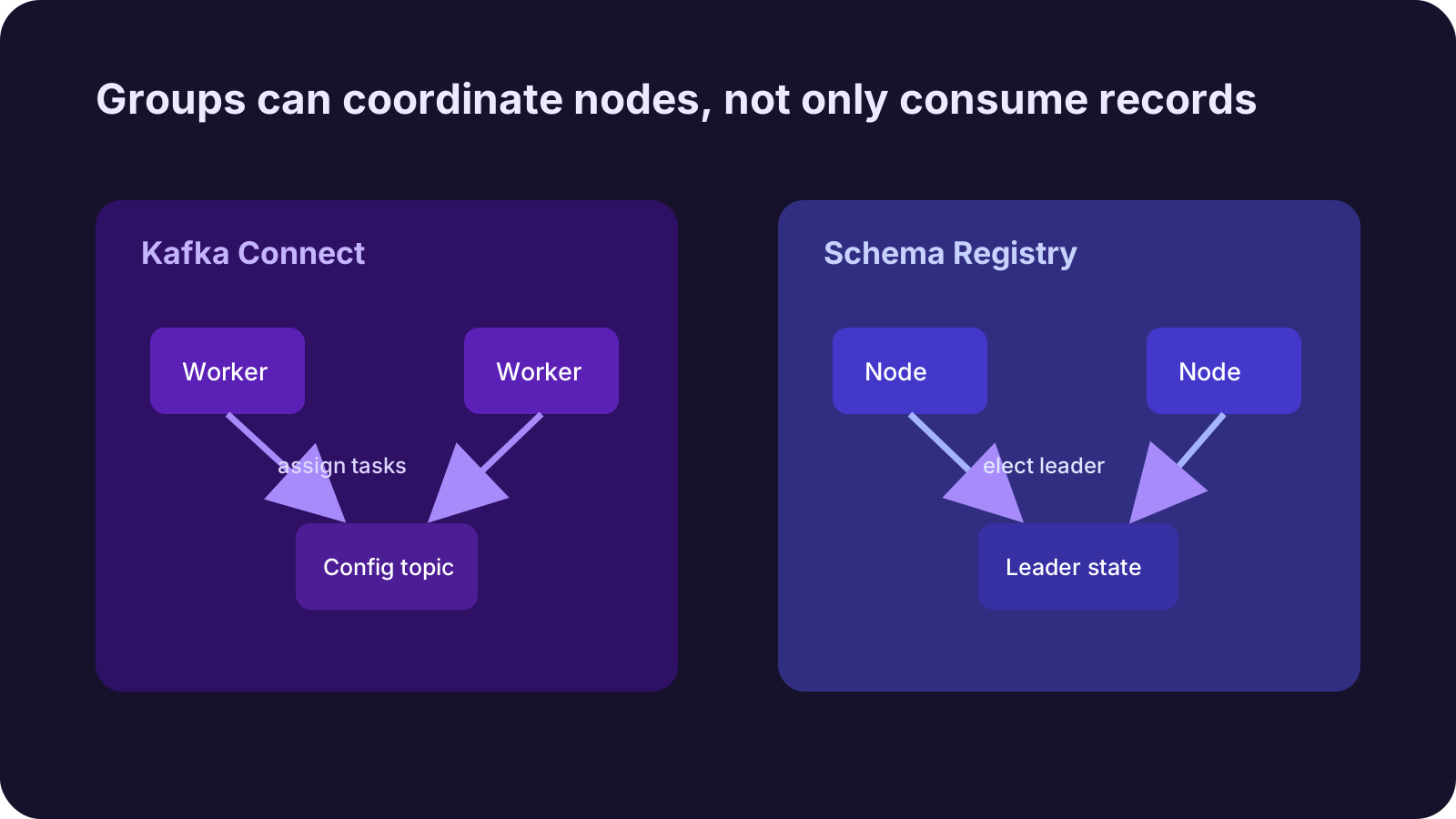
Kafka has another useful pattern: a group can be used for coordination, not just record consumption. Kafka Connect workers are a clear example. Schema Registry also uses Kafka for primary election and state coordination around its schema store.
That can lead to a confusing moment:
There is clearly a group inside Kafka.
It does not behave like a normal lag-oriented consumer group.
A Java client or lag-focused tool may not show it the way you expect.
But a lower-level admin client such as kadm can see the group metadata.
This post is about that moment.

The short version
- Kafka group coordination is not only for consuming records.
- Kafka Connect distributed workers join a group to discover worker membership and assign connector tasks.
- Schema Registry uses Kafka for schema storage, primary election, and state coordination.
- These groups may not look like ordinary consumer groups with committed offsets and lag.
- A lower-level client can reveal group protocol details that high-level consumer tooling may hide or ignore.
- You can apply the same pattern in your own applications, but you must own membership semantics, assignment, heartbeats, and observability.
The important distinction is this:
consumer group = record consumption + group coordinationThe consumer groups we use every day usually combine both. Some systems care much more about the second part.
How Kafka Connect workers find each other
In distributed mode, Kafka Connect workers act as one Connect cluster. Each worker uses the same group.id.
That group is not only about reading records from a topic. Workers join the group, and Kafka’s group coordinator manages membership. When a worker joins or leaves, a rebalance happens. A leader worker computes connector and task assignments, then workers receive their assigned work.
Simplified, it looks like this:
worker-1 joins group
worker-2 joins group
worker-3 joins group

Kafka group coordinator tracks membership
leader computes connector/task assignment
workers receive their assignments
The workers do not have to discover each other directly. Each worker talks to Kafka’s group coordinator. Through that coordinator, workers learn whether the group membership changed and whether new assignments are needed.
Connect also stores configuration, offsets, and status in internal topics. Group coordination handles membership and task assignment. Internal topics hold durable state. Those are related, but they are not the same thing.
How Schema Registry is different
Schema Registry can also run as multiple instances. If every instance wrote schemas independently, compatibility checks and schema ID allocation would become inconsistent.
Schema Registry uses Kafka as its schema store. In typical deployments, schema data is stored in a Kafka topic, and one primary instance handles writes. Kafka-backed coordination is also used for primary election and shared state.
There is an important caveat: this does not mean every interaction between Schema Registry instances happens only through Kafka. Instances also expose HTTP endpoints, and listener or advertised host configuration can matter depending on the deployment.
So it is better to separate the two cases like this:
| System | How Kafka is used |
|---|---|
| Kafka Connect | Worker membership and connector/task assignment |
| Schema Registry | Schema storage, primary election, and state coordination |
Both systems use Kafka as more than a message log. But their details and responsibilities are different.
Why it may not look like a normal consumer group
Most consumer group tooling starts from these questions:
Which topic partitions is this group reading?
What offsets has it committed?
How much lag does it have?
Connect worker groups or leader-election groups do not always fit those questions.
They may not exist to read topic records. They may not commit offsets in a way that lag tooling understands. Their group protocol type may not be the ordinary consumer protocol that the tool expects.
That is why a lag-focused tool, or a high-level consumer-oriented code path, can make the group feel invisible.
But that does not mean the group is absent from Kafka. If you inspect lower-level group metadata, a different picture appears:
group id
protocol type
protocol name
members
member metadata
assignment
A client such as kadm, which exposes Kafka admin protocol details more directly, can show information that ordinary consumer-lag tooling may not surface. The Java consumer API is designed around consuming records, so it is not always the right lens for these groups.
The better interpretation is:
not visible = does not existis wrong.
not visible = this tool is asking the wrong questionis usually closer.
Can we use this pattern in our own applications?
Yes. But it is more precise to say that you are using the Kafka group protocol for coordination, not just “creating a consumer group.”
Imagine an application made of several nodes.
Each node joins the same group at startup. In its join metadata, a node can include its endpoint, version, capabilities, or the shards it can handle. One member acts as the group leader and sees all member metadata. The leader computes an assignment. During sync, each member receives the work it should own.
The flow looks roughly like this:
node starts
  -> JoinGroup with node metadata
  -> one member becomes group leader
  -> leader computes assignment
  -> SyncGroup distributes assignment
  -> each node runs its assigned work
  -> heartbeat keeps membership alive
If a node dies, heartbeats stop and the member eventually leaves the group after its session timeout. If a new node joins, the group rebalances. With careful design, this gives you membership and work distribution without adding a separate coordination system.
When it is a good fit
This pattern can be attractive when:
- You already operate Kafka.
- You need membership and assignment together.
- Work can be redistributed during rebalances.
- Each node must receive an explicit assignment.
- You do not want to introduce ZooKeeper, etcd, or Consul just for this layer.
It can fit cases like:
- Assigning shards to active workers.
- Distributing work based on node capabilities.
- Letting a leader compute assignments from the full member list.
- Building lightweight cluster membership inside a Kafka-centric system.
But if all you need is a list of nodes, this may be too much machinery. DNS, a service registry, a heartbeat table, Redis, or a database row may be simpler.
What you must own
Using the Kafka group protocol directly is interesting. It is not free.
First, high-level consumer APIs may not be enough. They are designed around record consumption. If you need custom protocol metadata, custom assignment, and lower-level group handling, you may need a lower-level client. This is one reason a non-Java client library can be attractive for this pattern.
Second, assignment policy is yours. Kafka can tell you which members are alive. It will not decide what each node should do.
Third, rebalance is normal behavior. Node changes, network delay, rolling deploys, or timeouts can move assignments. Your work must tolerate restart, duplication, interruption, or handoff.
Fourth, observability is your responsibility. A normal consumer lag dashboard may not explain this group. At minimum, expose:
- current group members
- leader member
- assignment version
- rebalance count
- last successful sync time
- heartbeat health
- assignment-level work status
Fifth, decide where durable state lives. Group membership tells you who is alive right now. It is not a durable state store. Long-lived state, checkpoints, and work results should live in a topic or database.
Do not let the name mislead you
Kafka names can be a little deceptive after you use the system for a while. consumer group is one of those names.
For normal applications, a consumer group is the unit that reads topic partitions together. That is why lag, committed offsets, and partition assignment come to mind first.
But Kafka group coordination can solve a more general set of questions:
Who is alive?
Who is the leader?
How should work be assigned?
What happens when membership changes?
Kafka Connect and Schema Registry are useful examples for seeing that broader view. The same idea can be applied in your own applications.
It is not hidden magic, though. Kafka gives you a strong skeleton for membership and rebalance. You still decide what metadata to exchange, how assignments are calculated, and how failures are handled.
Konduo connects operational resources such as Kafka through plugins, including the broker, topic, consumer group, and coordination signals teams need to read together. The group-coordination view in this article maps naturally to operating status, metric evidence, and alert response in one flow.
The conclusion is simple:
Not every consumer group consumes records.
Some consumer groups exist so nodes can find each other and divide work.
Further Reading
For more context connected to this topic, these posts are also worth reading.
- Consumer Groups Are Not Queues: What Kafka Share Groups Change - Explains how Kafka share groups differ from ordinary consumer groups.
- Consumer Lag Is Not a Health Score: Thinking in Kafka Consuming Pressure - Reframes consumer lag as processing pressure.
- Still Using Redis Only as a Cache? A Practical Look at Redis Streams - Explores Redis Streams as messaging beyond cache usage.